
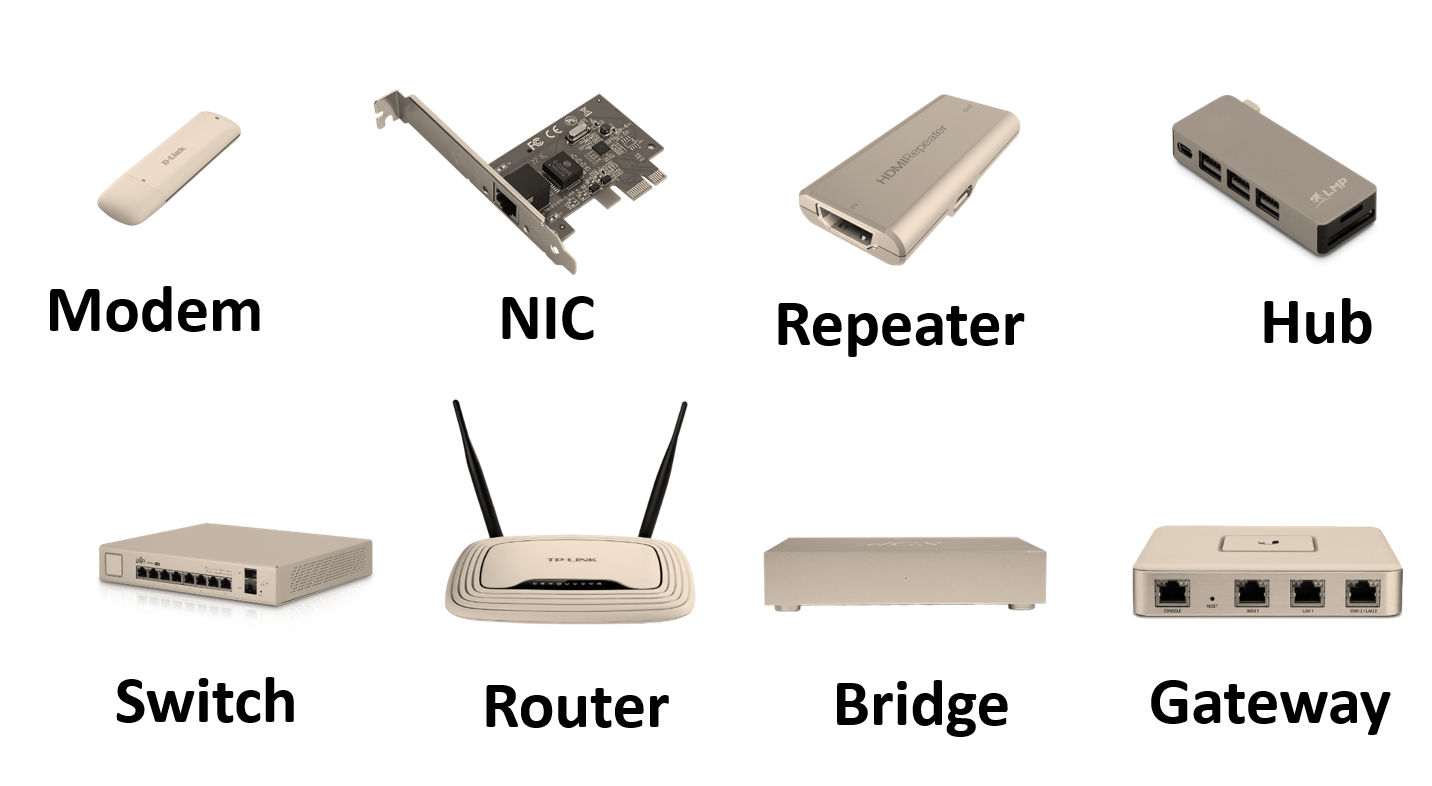
1. Routers
A router connects different networks and sends data between them.
Key Functions
- Works at Network Layer (Layer 3) of the OSI model.
- Uses IP addresses to forward data.
- Supports NAT (Network Address Translation) and DHCP (assigns IPs automatically).
Uses
- Connects home/office LANs to the Internet.
- Routes data between different subnetworks.
- Ensures data reaches the correct destination.
Tip: Think of a router as a “direction guide” for data.
2. Switches
A switch connects devices within the same LAN (Local Area Network).
Key Functions
- Works at Data Link Layer (Layer 2).
- Uses MAC addresses to send data to the right device.
- Reduces data collisions by creating separate collision domains.
- Supports VLANs (Virtual LANs) for network segmentation.
Uses
- Creates high-speed internal connections.
- Reduces network congestion.
- Connects computers, printers, and servers in offices.
Tip: Think of a switch as a “smart connector”.
3. Hubs
A hub is a basic and older device used to connect multiple devices in a LAN.
Key Functions
- Works at Physical Layer (Layer 1).
- Broadcasts data to all devices, not just the target one.
- No intelligence to identify specific devices.
Uses
- Very small and simple networks (mostly old).
- Low-cost home setups (rare today).
Drawbacks
- Creates a single collision domain → more traffic and slower speed.
- Less secure than switches.
Tip: Think of a hub as a “dumb connector”.
4. Bridges
A bridge connects two LAN segments to work as one network.
Key Functions
- Works at Data Link Layer (Layer 2).
- Uses MAC addresses to filter and forward data.
- Helps reduce network traffic by dividing it into segments.
Uses
- Extends a LAN beyond physical limits.
- Isolates traffic for better performance.
Tip: Think of a bridge as a “traffic controller”.
5. Gateways
A gateway connects different networks that use different protocols.
Key Functions
- Works at multiple OSI layers, often the Application Layer.
- Translates protocols, formats, or addresses.
- Acts as an entry/exit point for a network.
Uses
- Connects enterprise networks to the Internet.
- Converts between IPv4 and IPv6.
- Allows communication between different systems (e.g., email to SMS).
Tip: Think of a gateway as a “translator”.
6. Quick Comparison
| Device | OSI Layer | Function | Use Case |
|---|---|---|---|
| Router | Network (Layer 3) | Routes data between networks using IP | Connect LAN to Internet (WAN) |
| Switch | Data Link (Layer 2) | Sends data based on MAC addresses | Connect devices in a LAN |
| Hub | Physical (Layer 1) | Broadcasts data to all devices | Old/simple networks |
| Bridge | Data Link (Layer 2) | Connects and filters LAN segments | Extend or segment a network |
| Gateway | Multiple Layers | Translates between protocols | Connect different networks |
7. Quick Memory Tips
- Router → “Direction” – routes between networks.
- Switch → “Smart Connector” – efficient LAN device.
- Hub → “Dumb Connector” – sends everywhere.
- Bridge → “Traffic Controller” – filters and segments.
- Gateway → “Translator” – connects different systems.
8. Real-World Examples
- Router: Home Wi-Fi router for Internet.
- Switch: Office network connecting computers and printers.
- Hub: Very old LAN setups.
- Bridge: Linking wired and wireless parts of a network.
- Gateway: Service that converts API data or email-to-SMS communication.
Routers, Switches, Hubs, Bridges, Gateways — MCQs
- Which device operates at OSI Layer 1 (Physical Layer)?
A. Switch
B. Router
C. Hub
D. Gateway
Answer: C — Hub.
Explanation: Hubs repeat electrical signals; no frame processing.
- Which device makes forwarding decisions based on MAC addresses?
A. Router
B. Switch
C. Hub
D. Modem
Answer: B — Switch.
Explanation: Switches use MAC tables to forward frames within a LAN.
- Which device routes traffic between different IP networks?
A. Bridge
B. Switch
C. Router
D. Hub
Answer: C — Router.
Explanation: Routers examine IP addresses and forward across networks.
- A bridge primarily connects networks at which OSI layer?
A. Layer 1
B. Layer 2
C. Layer 3
D. Layer 4
Answer: B — Layer 2.
Explanation: Bridges filter/forward frames by MAC address.
- Which device reduces collision domains but keeps a single broadcast domain?
A. Hub
B. Router
C. Switch/Bridge
D. Gateway
Answer: C — Switch/Bridge.
Explanation: Each switch port is its own collision domain; broadcast domain remains.
- Which device separates broadcast domains?
A. Switch
B. Bridge
C. Router
D. Hub
Answer: C — Router.
Explanation: Routers do not forward broadcasts between networks.
- What is the primary disadvantage of using a hub?
A. Complex configuration
B. High cost
C. Collisions and bandwidth sharing
D. Routes IPs
Answer: C — Collisions and bandwidth sharing.
Explanation: Hubs are shared-medium devices causing collisions.
- Which switching method forwards a frame after checking the entire frame and CRC?
A. Cut-through
B. Fragment-free
C. Store-and-forward
D. Fast-forward
Answer: C — Store-and-forward.
Explanation: Store-and-forward buffers entire frame and checks CRC before forwarding.
- Cut-through switching advantage is:
A. Error checking before forwarding
B. Lower latency / faster forwarding
C. Detects malformed frames
D. Larger buffer requirement
Answer: B — Lower latency / faster forwarding.
Explanation: Forwards as soon as destination MAC is read.
- A layer 3 switch combines features of which two devices?
A. Hub + Bridge
B. Switch + Router
C. Router + Gateway
D. Bridge + Hub
Answer: B — Switch + Router.
Explanation: Layer 3 switch can do switching (MAC) and basic routing (IP).
- Which device typically provides NAT (Network Address Translation)?
A. Switch
B. Router / Gateway
C. Hub
D. Bridge
Answer: B — Router / Gateway.
Explanation: Routers/gateways translate private IPs to public IPs.
- What is the function of a default gateway on a host?
A. Provide DNS resolution
B. Forward traffic to other networks when destination is not local
C. Assign IP addresses
D. Block broadcasts
Answer: B — Forward traffic to other networks.
Explanation: Default gateway is the router IP used for off-LAN traffic.
- Which device learns MAC addresses and stores them in a CAM table?
A. Hub
B. Bridge/Switch
C. Router
D. Gateway
Answer: B — Bridge/Switch.
Explanation: Switches build MAC (CAM) tables by examining source MACs.
- Which protocol prevents switching loops in Ethernet networks?
A. OSPF
B. BGP
C. STP (Spanning Tree Protocol)
D. ARP
Answer: C — STP (Spanning Tree Protocol).
Explanation: STP blocks redundant links to avoid loops.
- Which of the following is TRUE about a bridge compared to a switch?
A. Bridge is for WAN, switch is for LAN
B. Bridge is an older device; modern switches replace bridges and have multiple ports
C. Bridge operates at Layer 3
D. Bridge increases collision domains
Answer: B — Bridge is older; switches are multiport bridges.
Explanation: Switch = multiport bridge with faster hardware.
- A gateway in networking usually refers to:
A. A physical cable connector
B. A device that translates between two different protocols or networks
C. A simple repeater
D. A switch with VLAN support
Answer: B — Device that translates between different protocols/networks.
Explanation: Gateways can operate at application level translating formats/protocols.
- Which device is most suitable to segment a network into VLANs?
A. Hub
B. Layer 2 switch with VLAN support
C. Router without subinterfaces
D. Bridge
Answer: B — Layer 2 switch with VLAN support.
Explanation: Switches support 802.1Q VLAN tagging to segment broadcast domains logically.
- Inter-VLAN routing (routing between VLANs) requires which device/action?
A. Hub connection
B. Layer 2 switch only
C. Router or Layer 3 switch (routing)
D. Bridge
Answer: C — Router or Layer 3 switch.
Explanation: VLANs are separate broadcast domains; routing needed to communicate between them.
- Which device typically has the highest CPU to support complex routing protocols (OSPF/BGP)?
A. Hub
B. Basic unmanaged switch
C. Enterprise router
D. Bridge
Answer: C — Enterprise router.
Explanation: Routers run routing protocols and need more processing power.
- Which of the following divides a network into smaller collision domains but not broadcast domains?
A. Hub
B. Switch
C. Router
D. Gateway
Answer: B — Switch.
Explanation: Each switch port is its own collision domain but broadcasts are flooded to all ports in the same VLAN.
- Which of the following is not a function of a router?
A. Packet forwarding based on IP address
B. Running routing protocols
C. MAC address learning for switching decisions
D. NAT and firewalling (in many routers)
Answer: C — MAC address learning for switching decisions.
Explanation: MAC learning is a switch function (though many routers have integrated switch ports).
- Which term describes combining multiple physical links into one logical link for redundancy and higher throughput?
A. VLAN
B. STP
C. Link Aggregation / LACP
D. NAT
Answer: C — Link Aggregation / LACP.
Explanation: LACP (802.3ad) bonds ports for bandwidth/ redundancy.
- Which device should be used to connect two Ethernet segments and filter frames by MAC to reduce traffic?
A. Hub
B. Bridge
C. Router
D. Repeater
Answer: B — Bridge.
Explanation: Bridges filter frames by MAC and reduce collisions.
- Which device will forward a frame when destination MAC is unknown?
A. Router drops it
B. Switch floods it out all ports in same VLAN
C. Hub drops it
D. Gateway changes destination MAC
Answer: B — Switch floods it out all ports (unknown unicast flooding).
Explanation: Switch forwards unknown MAC to all ports except source.
- What is the main purpose of a Layer 4 (transport layer) aware switch (multilayer switch)?
A. Only physical repeating
B. Provide application-aware routing and QoS based on TCP/UDP ports
C. Replace routers completely for internet routing
D. Act as a hub
Answer: B — Application-aware routing and QoS based on ports.
Explanation: Multilayer switches can inspect L4 headers for policy/QoS.
- Which device would you configure ACLs (Access Control Lists) on to control traffic between networks?
A. Hub
B. Switch (L2) only
C. Router or Layer 3 switch
D. Repeater
Answer: C — Router or Layer 3 switch.
Explanation: ACLs applied where routing occurs to filter traffic between subnets.
- What is a “default route” in a router?
A. Route to the router itself
B. Route that matches all unspecified destinations (gateway of last resort)
C. Route with highest priority only
D. Broadcast route
Answer: B — Route matching unspecified destinations (gateway of last resort).
Explanation: Used when no specific route exists in routing table.
- Which device type is easiest for an attacker to sniff all traffic on a LAN?
A. Router with NAT
B. Hub (in contrast to a switch)
C. Switch with port-security
D. Firewall
Answer: B — Hub.
Explanation: Hub broadcasts all frames to every port, easy to sniff.
- Port mirroring on a switch is used for:
A. Increasing speed of ports
B. Copying traffic from one port to another for monitoring/IDS
C. Blocking unused ports
D. Enabling STP
Answer: B — Copying traffic for monitoring/IDS.
Explanation: Mirroring sends a copy of traffic to monitoring device.
- Which device can implement DHCP relay to forward DHCP broadcasts between networks?
A. Hub
B. Switch (L2) only
C. Router / Layer 3 device
D. Bridge
Answer: C — Router / Layer 3 device.
Explanation: Routers can be DHCP relay agents to forward DHCP requests to server.
- Which device typically performs fragmentation and reassembly of packets?
A. Hub
B. Switch
C. Router
D. Bridge
Answer: C — Router.
Explanation: Routers may fragment IP packets when MTU requires fragmentation.
- Which technology isolates broadcast domains on the same switch?
A. VLAN (802.1Q)
B. STP
C. LACP
D. CSMA/CA
Answer: A — VLAN (802.1Q).
Explanation: VLANs partition switch into multiple logical networks (separate broadcast domains).
- Which of the following is TRUE for a gateway in home routers sold by ISPs?
A. It is only a hub under a different name
B. It usually combines modem, router, NAT, firewall, DHCP server, and sometimes switch functions
C. It cannot perform NAT
D. It is identical to a bridge with no routing features
Answer: B — Combines modem, router, NAT, firewall, DHCP, switch functions.
Explanation: Home “gateway” is an integrated device.
- What device is required to connect two physically separate Ethernet LAN segments with no change in IP addressing (same subnet)?
A. Router
B. Bridge or switch (layer 2)
C. Gateway
D. NAT device
Answer: B — Bridge or switch.
Explanation: Layer 2 device can connect segments in same subnet.
- Which security feature on switches limits the number of MAC addresses learned on a port to prevent CAM table overflow attacks?
A. Port mirroring
B. Port security
C. VLAN trunking
D. Spanning Tree
Answer: B — Port security.
Explanation: Port security restricts MAC learning and can shut/mask port on violation.
- Which routing protocol is typically used for routing between large autonomous systems on the Internet?
A. OSPF
B. RIP
C. BGP
D. EIGRP
Answer: C — BGP (Border Gateway Protocol).
Explanation: BGP is used for Internet-wide routing between ASes.
- Which device forwards multicast traffic efficiently using IGMP snooping?
A. Hub
B. Standard hub-only network
C. Multicast-aware switch (IGMP snooping)
D. Simple bridge without IGMP support
Answer: C — Multicast-aware switch with IGMP snooping.
Explanation: IGMP snooping learns multicast group members and forwards only to interested ports.
- Which term best describes a “bump in the wire” device that inspects packets and enforces policies between networks?
A. Hub
B. Transparent firewall / appliance (layer 2 or layer 3 inline gateway)
C. Switch
D. Bridge only
Answer: B — Transparent firewall / inline appliance.
Explanation: Firewalls/gateways can be inline to inspect and enforce policies.
- What does “store-and-forward” switching help prevent that cut-through switching may not?
A. High latency
B. Propagation of errored frames and CRC errors
C. Port blocking
D. Link aggregation
Answer: B — Propagation of errored frames (checks CRC).
Explanation: It buffers and validates frames before forwarding.
- Which device would you use to connect a bank branch LAN to the internet over an ISP link and apply routing, NAT, and firewall rules?
A. Hub
B. Switch (L2) only
C. Router with firewall (edge gateway)
D. Bridge
Answer: C — Router with firewall (edge gateway).
Explanation: Edge routers/gateways provide WAN connectivity, NAT, and security policies.
- Which device typically supports Power over Ethernet (PoE) to power IP phones and cameras?
A. Hub
B. PoE-capable switch
C. Router only
D. Bridge
Answer: B — PoE-capable switch.
Explanation: Switches can supply DC power over Ethernet ports.
- Which of the following best describes a “gateway of last resort”?
A. The router itself
B. The default route used when no specific route matches a packet
C. Broadcast address
D. DHCP server address
Answer: B — Default route used when no specific route matches.
Explanation: Packets are forwarded to gateway of last resort when unknown.
- Which device is most suitable to provide high-speed LAN switching with low latency for data center servers?
A. Hub
B. Unmanaged home switch
C. Enterprise-grade Layer 2/3 switch with high backplane and low latency
D. Bridge
Answer: C — Enterprise-grade Layer 2/3 switch.
Explanation: Data center switching relies on high-performance switches.
- What action should a switch take if it receives a frame with destination MAC equal to its own management MAC?
A. Flood to all ports
B. Process it locally (management traffic)
C. Send to default gateway
D. Drop it always
Answer: B — Process it locally (management/control traffic).
Explanation: Frames addressed to switch management are for local processing.
- Which device can perform NAT, DHCP server, and firewall filtering all in one?
A. Hub only
B. Basic switch only
C. Home/enterprise gateway or firewall appliance
D. Simple bridge
Answer: C — Gateway / firewall appliance.
Explanation: Integrated gateways combine services.
- What is the main difference between a Layer 2 switch and a Layer 3 switch?
A. Layer 2 switches work at physical layer only
B. Layer 3 switches can perform IP routing between VLANs in hardware
C. Layer 2 switches are always slower
D. Layer 3 switches cannot do switching
Answer: B — Layer 3 switches can perform IP routing between VLANs.
Explanation: They route packets at hardware speeds.
- Which of the following devices introduces latency due to deep packet inspection and stateful tracking?
A. Hub
B. Stateless switch
C. Stateful firewall / gateway
D. Bridge
Answer: C — Stateful firewall / gateway.
Explanation: Stateful inspection inspects and tracks connections, adding processing.
- Which of these manages forwarding decisions using routing tables and forwarding information base (FIB)?
A. Hub
B. Switch using CAM only
C. Router (using routing table and FIB)
D. Repeater
Answer: C — Router.
Explanation: Routers maintain routing tables and FIB for packet forwarding.
- Which is the correct order from simplest to most complex device (in general capability)?
A. Router → Switch → Hub
B. Hub → Bridge → Switch → Router → Gateway
C. Gateway → Router → Switch → Hub
D. Switch → Hub → Router → Bridge
Answer: B — Hub → Bridge → Switch → Router → Gateway.
Explanation: Hub simple repeater; bridge basic filtering; switch multiport; router inter-networking; gateway translates protocols.
- Which is a best practice to secure switches and prevent unauthorized network access?
A. Disable STP always
B. Enable port security, use VLANs, disable unused ports, use management ACLs and secure management (SSH)
C. Leave default community strings for SNMP
D. Use hubs in critical segments for simplicity
Answer: B — Enable port security, VLANs, disable unused ports, secure management.
Explanation: These measures reduce attack surface and enforce network segmentation.