
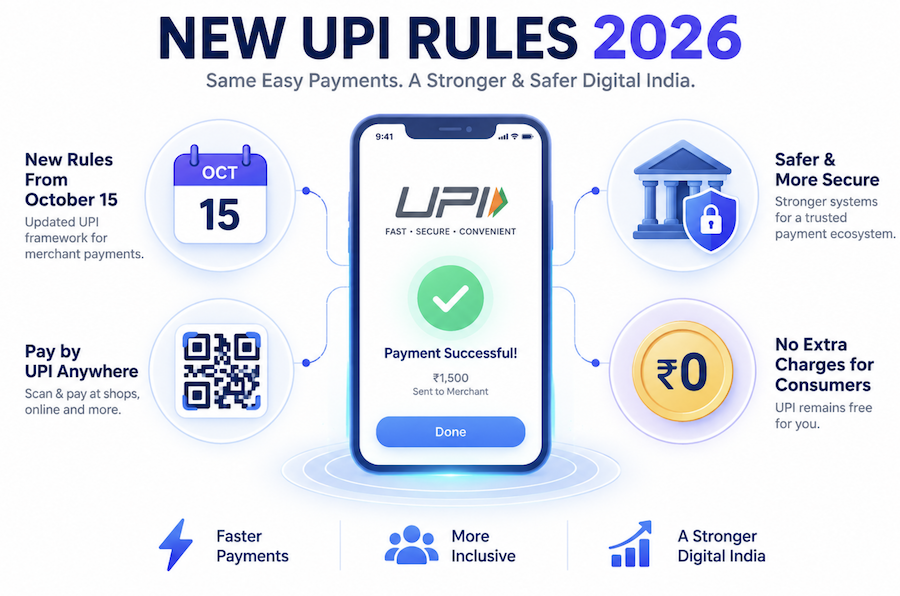
Starting October 15, 2026, the National Payments Corporation of India (NPCI) is implementing a massive shift in how Unified Payments Interface (UPI) transactions are processed. For a decade, the UPI ecosystem operated on a zero-fee model subsidized by the government. Now, commercial guidelines are being introduced to ensure the network’s long-term sustainability.
If you use Google Pay, PhonePe, or Paytm daily, rumors about “paying extra for UPI” have likely flooded your social media. Here is the verified, simplified truth about the new UPI rules, how transaction limits are changing, and what you can legally do if a shopkeeper asks you for extra money.
The Big Change: 0.4% Charge on Merchant Payments
The headline change taking effect on October 15, 2026, is the introduction of a Merchant Discount Rate (MDR). Simply put, a small fee is now applied to specific commercial transactions.
To make this easy to understand, here is a quick breakdown of the UPI new rules 2026 fee structure:
📊 The October 2026 UPI Fee Structure at a Glance
| Transaction Type | Amount | Who Pays the Fee? | Fee Amount |
| Person-to-Person (P2P) (Paying friends/family) | Any Amount | Nobody (100% Free) | ₹0 |
| Person-to-Merchant (P2M) (Scanning a shop QR) | Under ₹2,000 | Nobody (100% Free) | ₹0 |
| Person-to-Merchant (P2M) | Over ₹2,000 | The Merchant | 0.4% (Max cap of ₹300) |
| Utilities, Fuel, Telecom | Over ₹2,000 | The Merchant | Flat ₹5 |
| Small Merchants (Receiving < ₹1L/month) | Any Amount | Nobody (100% Free) | ₹0 |
Will You (The Customer) Have to Pay Extra?
No. The NPCI has explicitly clarified that ordinary consumers will not pay any fees.
The 0.4% fee is charged exclusively to the merchant (the business owner) for using the UPI payment gateway—exactly like how they are charged a fee when you swipe a Visa or Mastercard. Furthermore, over 95% of retail UPI transactions fall below the ₹2,000 threshold and remain entirely free for everyone.
🛑 What If a Shopkeeper Asks for Extra Money? (Legal Tips & Workarounds)
The reality in India is that some merchants—especially electronics dealers or jewelers operating on thin margins—may try to illegally pass this 0.4% charge onto you for big purchases.
If a merchant asks you to pay an extra “UPI Fee,” use these smart workarounds:
💡 PRO TIP 1: Demand a P2P Transfer
The 0.4% fee only applies to merchant QR codes (P2M). Person-to-Person (P2P) transfers are 100% free. Ask the shop owner to provide their personal mobile number or personal UPI ID. Transferring directly to them bypasses the merchant fee entirely.
💡 PRO TIP 2: Split the Payment
If you are buying groceries worth ₹2,500, simply split the bill into two separate transactions of ₹1,250. Because both payments fall under the ₹2,000 threshold, the merchant fee is completely eliminated.
⚖️ LEGAL TIP: Cite the NPCI
Remind the shopkeeper that under NPCI guidelines, merchants are strictly prohibited from passing MDR charges onto customers. You are only legally obligated to pay the listed price of the item.
Other Crucial UPI Updates in 2026
Beyond the MDR changes, the RBI and NPCI have rolled out several other significant updates to user security and daily limits.
RBI New UPI Transaction Limit
The RBI new UPI transaction limit framework has been expanded to accommodate higher-value digital payments.
| Payment Category | New Daily Limit |
| Standard Shopping & Daily Transfers | ₹1 Lakh |
| Capital Markets & Collections | ₹2 Lakh |
| Hospitals & Medical Bills | ₹5 Lakh |
| Educational Institutions | ₹5 Lakh |
| Direct Tax Payments & Insurance | ₹5 Lakh |
(Note: To prevent server overloads, you are now also limited to checking your bank balance a maximum of 50 times per day within a single UPI app.)
UPI Chargebacks NPCI New Rules
If your money is deducted but the merchant doesn’t receive it, getting a refund used to take days. Under the UPI chargebacks NPCI new rules, dispute resolution has been heavily automated. The new “Good-Faith Negative Chargeback” (RGNB) framework means that failed, fraudulent, or duplicate transactions are tracked immediately, resulting in significantly faster automatic refunds directly to your bank account.
UPI Account Management: How to Change Your PIN and ID
With the rollout of new security standards, many users are taking the opportunity to update their credentials. If you need to refresh your security settings, here is a quick cheat sheet for managing your account.
📱 Quick Guide: Changing Your UPI PIN
| UPI App | Where to find the ‘Change PIN’ option |
| Google Pay (GPay) | Profile Icon > Bank Accounts > Select Bank > 3 Dots (Top Right) > Change UPI PIN |
| PhonePe | Profile Icon > Payment Methods (Bank Account) > UPI PIN > Change / Reset |
| Paytm | Profile > Payment Settings > UPI & Linked Bank A/C > Change PIN |
How to Create a New UPI ID in PhonePe
To improve privacy, you don’t always have to use your phone number as your ID.
- Go to your PhonePe Profile.
- Tap on UPI Settings.
- Under the UPI IDs tab, you will see options for different bank handles (like
@yblor@ibl). - Tap the ‘+’ icon next to any of them to create and activate a brand new UPI ID linked to your existing bank account.
Summary
The new UPI rules taking effect in October 2026 represent a maturity milestone for India’s digital payments. While businesses will now pay a small premium for large transactions, everyday users remain completely protected from fees. By understanding the difference between P2M and P2P transfers and knowing your transaction limits, you can easily navigate these changes, secure your account, and avoid unnecessary surcharges at the checkout counter.